> For the complete documentation index, see [llms.txt](https://docs.stylothemes.com/llms.txt). Markdown versions of documentation pages are available by appending `.md` to page URLs; this page is available as [Markdown](https://docs.stylothemes.com/urdupress-lite/elementor/widgets/list.md).
# List
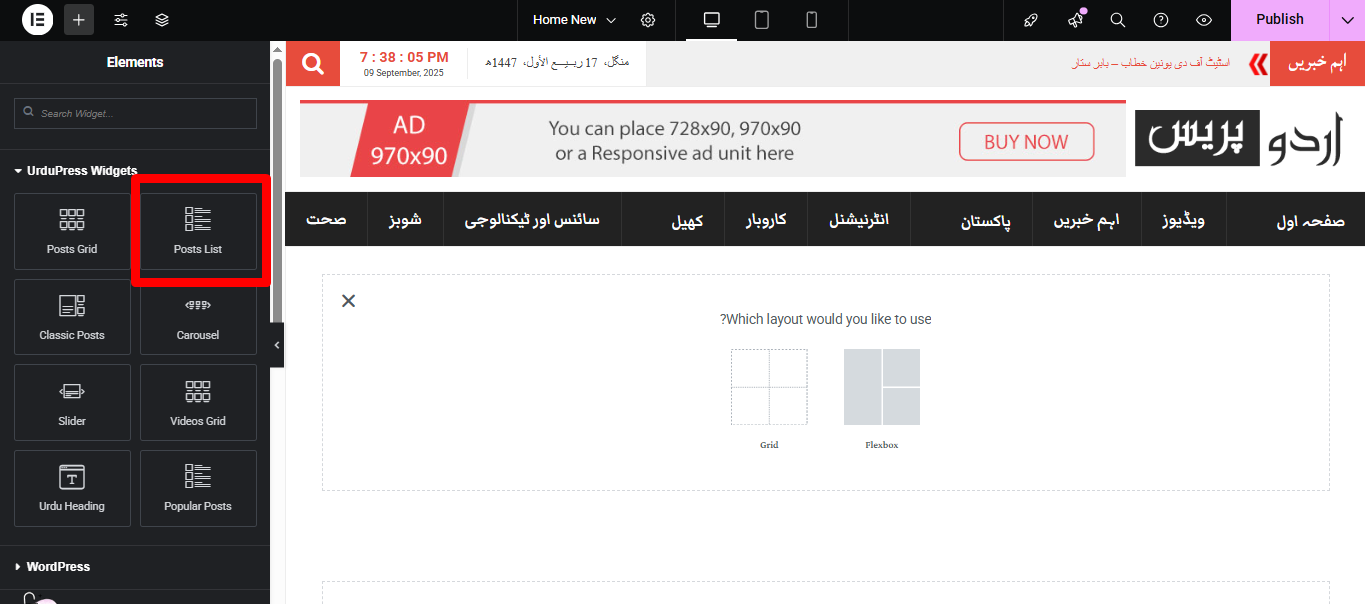
The Post List Widget allows you to display your posts in a customizable list layout with options to control thumbnails, meta data, excerpts, and more.
### 🔧 Content Tab
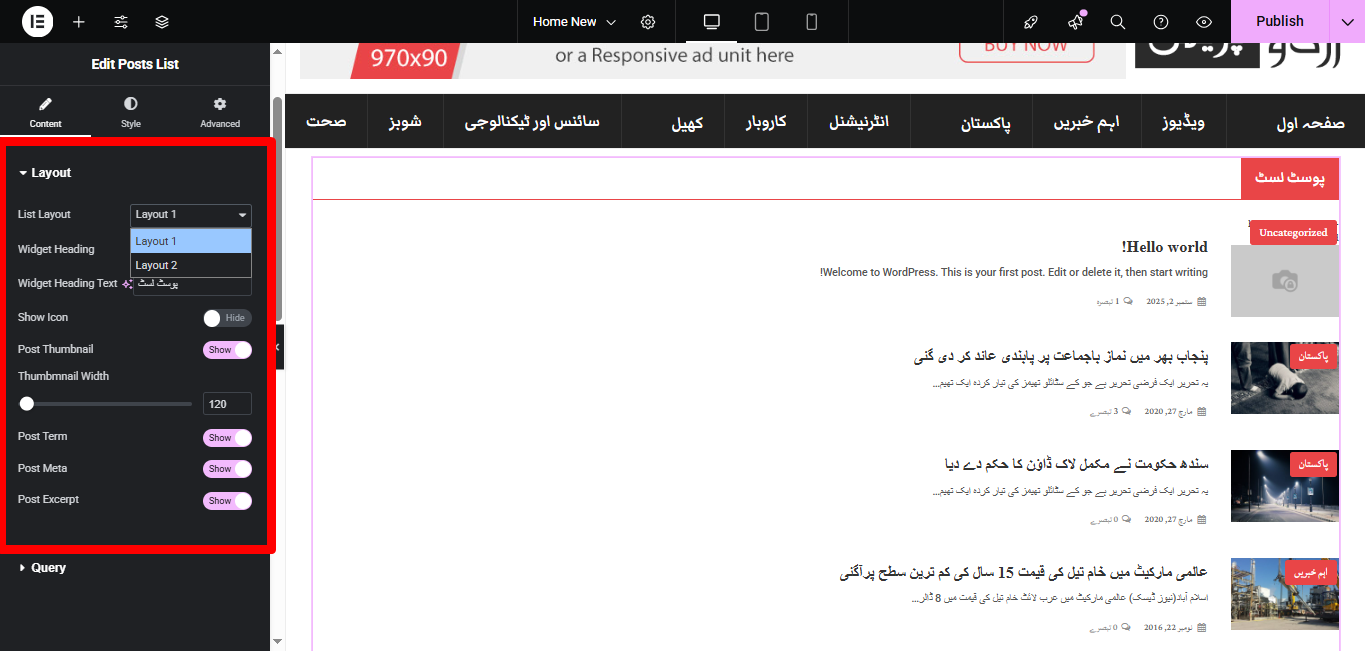
#### **Layout**
* **List Layout**
* Choose from multiple predefined layouts (e.g., **Layout 1**, **Layout 2**).
* **Widget Heading**
* Show/Hide the widget heading.
* **Widget Heading Text**
* Customize the heading text (appears above the list).
* **Show Icon**
* Toggle ON/OFF to show an icon next to the heading.
* **Post Thumbnail**
* Enable/Disable featured image display.
* **Thumbnail Width**
* Adjust thumbnail size using a slider (default: 120px).
* **Post Term**
* Show/Hide post categories or tags.
* **Post Meta**
* Show/Hide post metadata (date, author, etc.).
* **Post Excerpt**
* Show/Hide post excerpt (summary).
***
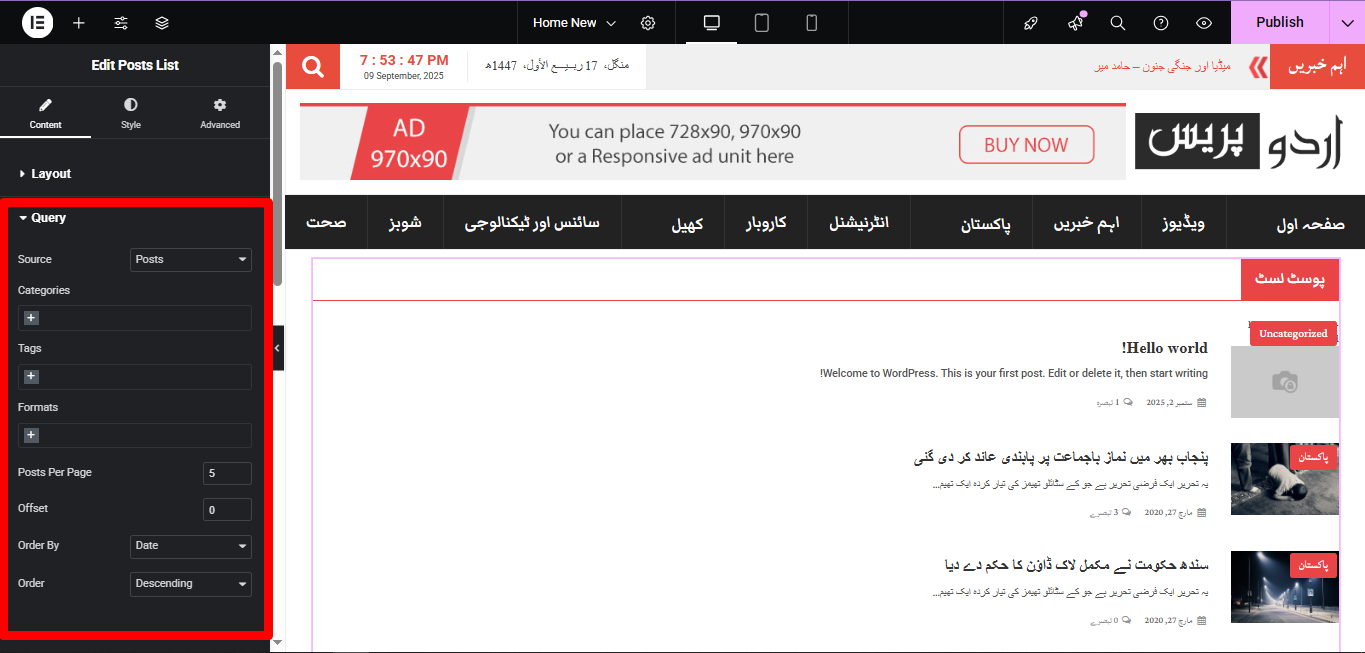
#### **Query**
Control which posts are displayed:
* **Source** – Select post type (Posts, Pages, or custom post type).
* **Category** – Filter posts by category.
* **Tags** – Filter posts by tags.
* **Posts Per Page** – Limit number of posts displayed.
* **Order By** – Sort posts by Date, Title, ID, Random, etc.
* **Order** – ASC (ascending) or DESC (descending).
* **Offset** – Skip a defined number of posts before displaying.
***
### 🎨 Style Tab
You can fully customize the look & feel:
* **Heading Style** – Typography, color, spacing.
* **Thumbnail Style** – Size, border radius, hover effects.
* **Post Meta Style** – Typography, color, spacing.
* **Excerpt Style** – Typography, color, length controls.
* **Spacing** – Control margin/padding between items.
***
### ⚡ Advanced Tab
All standard Elementor advanced options:
* **Margin / Padding**
* **Motion Effects**
* **Background & Borders**
* **Custom CSS**
***
✅ **Use Case**: Displaying recent posts, category-specific lists (e.g., “Latest News”), or compact sidebar post widgets.